
Fixed asset tagging and tracking in Jordan: digital asset registers, barcode labels and handheld scanners.
Isham Digital Solutions, a business software provider in Amman and the official SUNMI distributor in Jordan, supplies complete fixed-asset tagging hardware (thermal-transfer barcode label printers, permanent label rolls, wax ribbons, wireless 2D scanners and SUNMI Android handhelds) alongside our Accounting Assets and Maintenance setup for companies, schools, universities, hospitals and organisations across Jordan.
Last updated:
Explore our fixed-asset tagging guides and hardware kits for Jordan
Start with an immediate hardware starter kit to label every laptop, desk and machine this week, or plan a full our ERP system fixed-asset register and depreciation rollout for your organisation:
Asset tagging starter kit (Small, Medium & Large)
Live store prices for complete kits combining a thermal-transfer label printer, ribbon, permanent barcode rolls and a 2D scanner or SUNMI handheld.
Compare starter kit totals 02Asset labels & thermal-transfer printers
Choose between thermal-transfer barcode printers, wax ribbons, Brother P-touch laminated label makers and request-quoted polyester asset tags.
Explore asset label printers 03School asset tagging & teacher custody
Tag classroom furniture, computer labs, smart boards, buses and teacher custody items so annual end-of-year counts finish in hours instead of weeks.
Explore school asset tagging 04Hospital & medical centre asset tracking
Track equipment, furniture and IT assets by department and room, run preventive maintenance schedules in Equipment Maintenance and control consumable stores.
Explore hospital asset trackingDaily fixed-asset problems companies and institutions face in Jordan
Whether you manage an office headquarters in Amman, a multi-branch business, a private school or a hospital, keeping fixed assets in an outdated Excel sheet breaks down as soon as staff move rooms or external auditors arrive:
Assets disappear between offices and departments
Laptops, projectors, printers and specialised equipment get borrowed across floors without a transfer record — nobody knows who holds custody when an item goes missing.
The accounting register does not match what sits in the rooms
Broken chairs and scrapped laptops stay on the depreciation schedule for years ("ghost assets") while newly bought machines sit untagged, causing painful audit queries at year-end.
Paper stickers fade and peel off within months
Standard direct-thermal shipping labels turn dark or unreadable under office sunlight, laptop heat or cleaning wipes — forcing teams to re-label the whole building every two years.
Annual asset counts take weeks of manual clipboard typing
Reading tiny serial numbers off the back of monitors and typing them into spreadsheets creates typos and forces finance to chase department heads for weeks.
How fixed-asset tagging and annual counting work with our ERP system and barcode hardware.
Follow the complete six-step asset lifecycle — from registering purchases in our system to printing durable barcode tags, scanning rooms and reconciling differences.
Build the clean asset register (Fixed Assets & Maintenance modules Equipment)
Create structured asset codes (such as Branch–Department–Category–Sequence) linking financial records in Accounting (acquisition cost, vendor bill, useful life and depreciation model) with physical custody records in Equipment Maintenance (serial number, assigned employee, department and room location).
Print durable barcode or QR asset tags (Thermal-Transfer Label Printer + Ribbon & Permanent Rolls)
Print scannable 1D or QR barcode tags containing your organisation name and unique asset ID using a thermal-transfer printer (such as Xprinter XP-TT426B or Honeywell PC42E-T) with wax ribbon and permanent adhesive labels — or laminated Brother TZe tape for IT cables and laptops.
Stick tags consistently across every room and department
Apply labels in a predictable, accessible position on every desk, computer, projector, AC unit and machine so auditors do not have to climb behind furniture during future counts.
Scan room by room on a handheld scanner or SUNMI PDA (2D Wireless Scanner / SUNMI Handheld + Configured Count Workflow)
Walk each room scanning the room code followed by every tagged item using a pocket 2D Bluetooth scanner (such as CifraCode C-MINI), industrial wireless scanner or SUNMI handheld terminal. Because the system has no single built-in "asset count" button, Isham configures a structured barcode-counting workflow or add-on matched to your audit checklist.
Spot missing, moved and damaged items immediately (Configured Reconciliation Report)
Compare scanned barcodes against expected assets per room or custodian to flag moved items, missing custody items and broken assets that should be retired.
Update custody, dispose of scrapped assets and post depreciation (Fixed Assets & Accounting)
Update department/employee assignments, run the Asset Disposal wizard for scrapped or sold equipment (automatically clearing accumulated depreciation and posting gain or loss) and maintain automated monthly depreciation schedules in JOD.
What is included out of the box vs advanced tier vs custom setup
Be clear upfront about how our system splits financial depreciation, equipment maintenance and physical barcode asset counting:
| Fixed-asset requirement | System module | Standard, Enterprise only, or configuration / add-on |
|---|---|---|
| Equipment register, serial numbers, departments & employee custody | Maintenance | Standard (included in core system) |
| Preventive & corrective maintenance schedules and repair tickets | Maintenance | Standard (included in core system) |
| Consumable stores & spare-parts stock locations | Inventory | Standard (included in core system) |
| Fixed asset register from vendor bills, depreciation boards & disposals | Accounting (Assets / account_asset) | Advanced / Enterprise tier |
| Mobile barcode scanning for stock & consumable stores | Barcode (stock_barcode) | Advanced / Enterprise tier |
| Printing custom barcode/QR asset tag templates linked to assets | Assets / Maintenance + Label template | Configuration or add-on — ask us |
| Physical handheld asset count, room audit & variance reconciliation | Assets / Maintenance + Count workflow | Configuration or add-on — ask us (no single native "asset count" button) |
| High-volume UHF RFID room sweeps synced to our platform | Assets + RFID middleware | Configuration or add-on — ask us |
Need UHF RFID for thousands of assets across large campuses?
Barcode labels cover 90% of offices, schools and clinics affordably. When an organisation counts thousands of furniture pieces, IT assets or mobile equipment across multi-storey buildings, UHF RFID tags allow room sweeps without line-of-sight aiming — scoped and quoted on request via our RFID asset and inventory tracking guide . Public schools, universities and hospitals purchasing through formal tenders can also request a tender-compliant hardware and the system quote — ask us on WhatsApp.
The devices that go with fixed-asset tagging: thermal-transfer printers, ribbons, rolls, scanners and SUNMI handhelds.
Every product below is live in our Amman catalogue with 16% tax included — forming our Small, Medium and Large asset tagging starter kits. Isham is the official SUNMI distributor in Jordan and supplies Honeywell, Xprinter, CifraCode and SUNLUX independently. Store orders ship across Jordan for 3 JD, free over 50 JD.
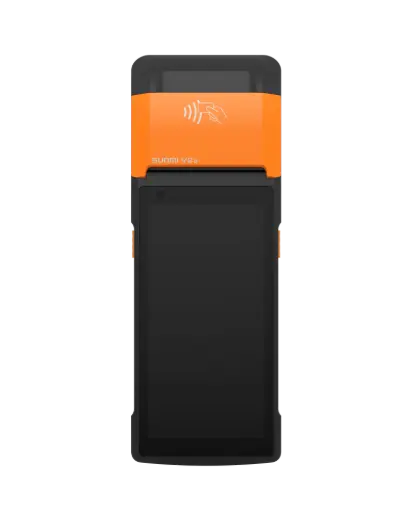 V Series
SUNMI V2s
265.000 د.ا
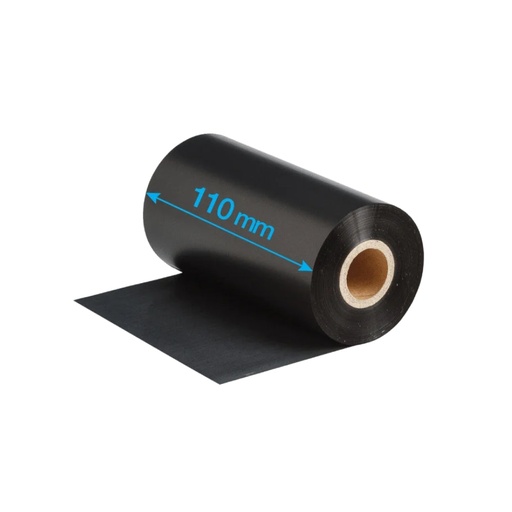 Printer Ribbons
110mm × 300m Premium Wax Thermal Transfer Ribbon – Black Barcode Printer Ribbon
13.000 د.ا
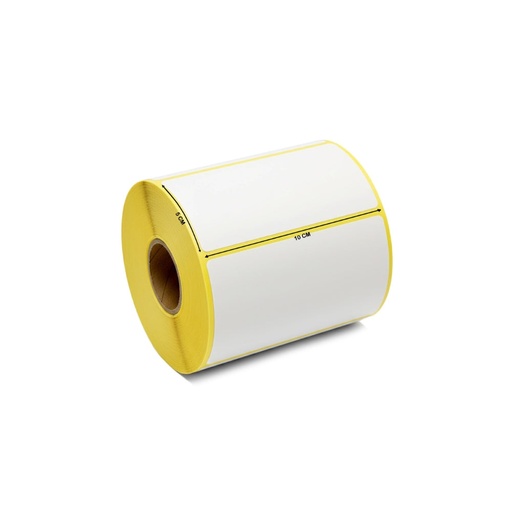 Inventory & Stocktaking Devices
Barcode Label Roll – Self-Adhesive Labels for Barcode Printers, 10 × 5 cm, 1,000 Labels per Roll – 1 Roll
4.000 د.ا
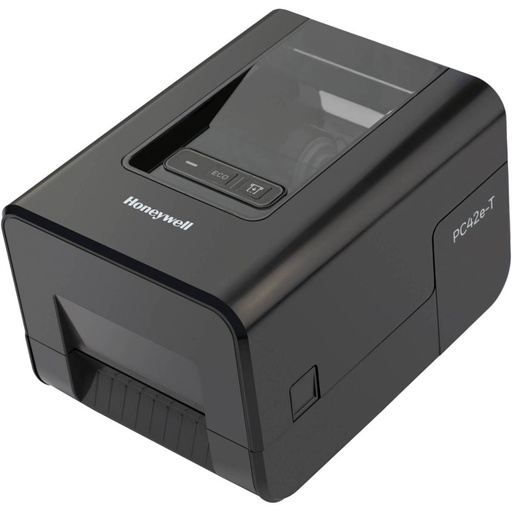 Label Printers
Honeywell PC42E-T Thermal Transfer Barcode Printer, 203 DPI (8 Dots/mm) Print Resolution, 100mm/s (4.0 IPS) Print Speed, 128MB RAM, 128MB Flash, USB, Ethernet
225.000 د.ا
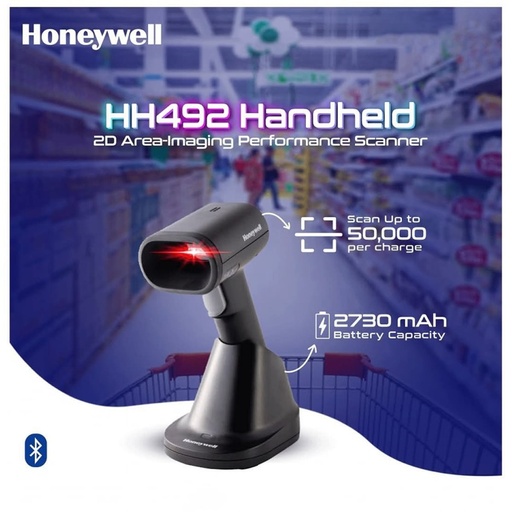 Inventory & Stocktaking Devices
Honeywell Barcode Scanner Gun KIT HH492 Wireless 1D/2D/DotCode/PDF Charging Black CHARGE | HH492
169.990 د.ا
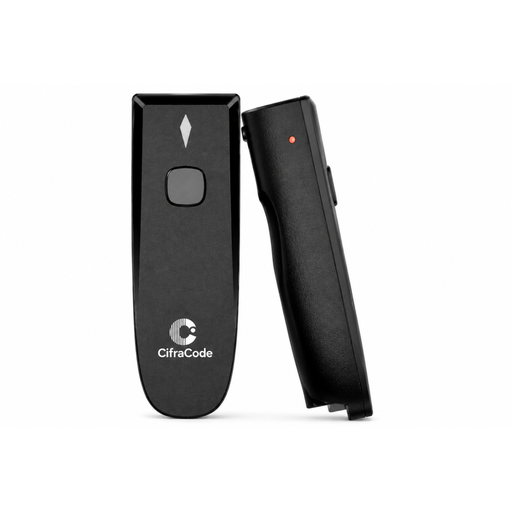 Inventory & Stocktaking Devices
CifraCode C-MINI Pocket 1D/2D Barcode Scanner - Black
50.000 د.ا
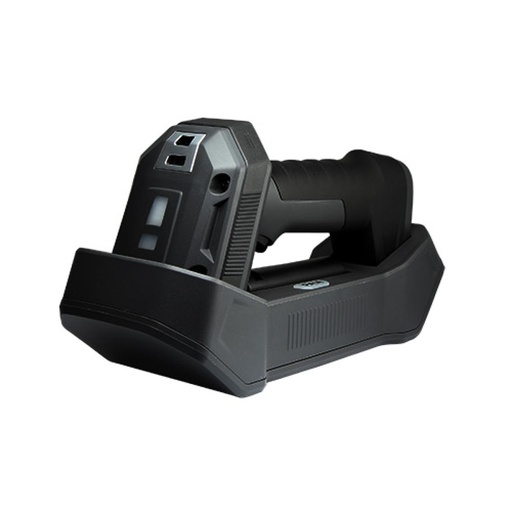 Inventory & Stocktaking Devices
SUNLUX IW50 Industrial Wireless 2D Barcode Scanner
210.000 د.ا
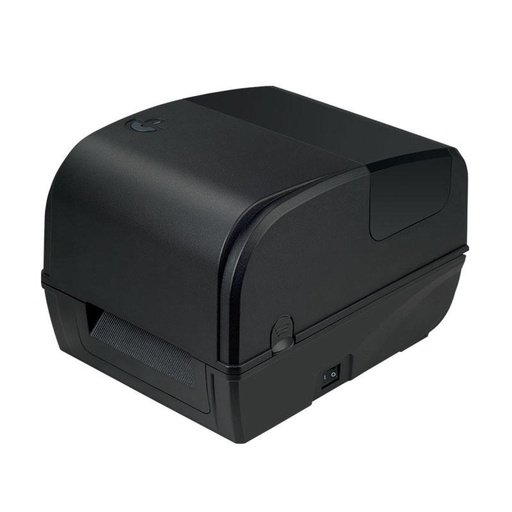 Printers
Xprinter XP-TT426B USB+Lan Transfer & Direct Thermal Printer 127mm/s
110.000 د.ا
Start with the tagging hardware today, add Fixed Asset Management in phase two
You do not have to wait for a full ERP budget cycle to stop losing equipment. Order a starter kit (thermal-transfer printer, labels, ribbon and handheld scanner) this week to tag every room and build a clean Excel or the system register — then bring Isham in to launch our Accounting Assets and Maintenance on top of the exact same tags and scanners.
Questions Jordanian finance and admin teams ask about asset tagging.
Need a starter kit or tender quotation in Amman? Book a free consultation
How much does fixed-asset tagging hardware and software cost?
Stocked asset tagging starter kits cost 181 JD (Small), 701.99 JD (Medium) or 1,484 JD (Large) including 16% tax, while software cost depends on user count, active modules and count-workflow scope. Message us directly on WhatsApp for a tailored quote.
How long does a fixed-asset software implementation take?
Hardware starter kits ship across Jordan in 1 to 3 business days. Software implementation duration depends on asset volume, register cleanup and configuration scope — we map clear phases during discovery rather than guessing a fixed number.
Does the asset system work in Arabic and support Jordanian dinars?
Yes. Our business software runs natively in Arabic and English with full right-to-left menus, JOD three-decimal accounting, automated depreciation boards and Jordan localisation.
Do handheld scanners and SUNMI terminals work offline during room counts?
Batch-memory wireless 2D scanners store scanned barcodes offline until synced to a PC, and offline-capable Android apps cache counts on handhelds when Wi-Fi is weak. Ask us on WhatsApp to confirm the best match for your buildings.
Can we start with the label printer and scanner kit first, and add software later?
Yes. Most organisations start by ordering a starter kit to tag desks, laptops and equipment right away, then adopt our Fixed Assets and Maintenance software later on the exact same hardware.
Will your printers and scanners work with our existing asset software or Excel?
USB and Bluetooth 2D scanners work with Excel and any PC program accepting keyboard input, and thermal-transfer printers print from Windows label software. Android handhelds work with third-party software only if it provides an Android app — ask us on WhatsApp first.
Does the core software have a single built-in button for handheld asset counts?
No. Our Accounting module manages financial fixed assets and depreciation while the Maintenance module tracks equipment and custody; printing custom asset barcode tags and running handheld room counts is configured during setup — ask us on WhatsApp.
Do you deliver across Jordan?
Yes. Delivery is 3 JD anywhere in Jordan and free for orders over 50 JD, usually in 1 to 3 business days. Prices are in JD and include 16% tax, and unused items can be returned within 7 days.
Tag every fixed asset cleanly and reconcile annual counts in hours instead of weeks.
Message us directly on WhatsApp to order an asset tagging starter kit or discuss our asset management and maintenance system.